

Modyfikacja i dostosowanie nagłówków i stopek w MS Excel
A co jeśli na każdej stronie arkusza Excel będziesz potrzebować nagłówka bądź stopki? Zobacz jak to zrobić!
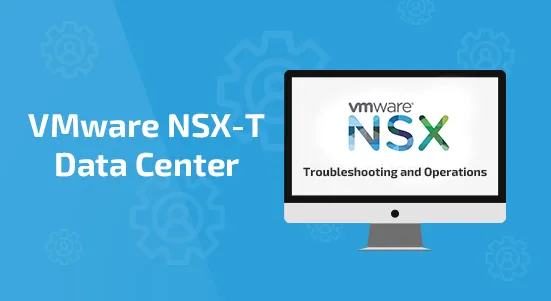
To pięciodniowe, praktyczne szkolenie zapewnia zaawansowaną wiedzę, umiejętności i narzędzia umożliwiające osiągnięcie kompetencji w zakresie obsługi i rozwiązywania problemów w środowisku VMware NSX-T Data Center. Na tym kursie zapoznasz się z przepływami pracy różnych konstrukcji sieciowych i zabezpieczeń, a także z kilkoma narzędziami operacyjnymi, które pomogą Ci zarządzać i rozwiązywać problemy w środowisku NSX-T Data Center.
Ponadto prezentowane są różnego rodzaju problemy techniczne, które uczestnik będzie identyfikował, analizował i rozwiązywał w ramach systematycznego procesu.
Przed przystąpieniem do tego kursu należy ukończyć następujący kurs:
– Centrum danych VMware NSX-T: instalacja, konfiguracja, zarządzanie [V3.2]
Uczestnik powinien znać następujące technologie:
– Dobra znajomość usług i protokołów TCP/IP
– Znajomość i doświadczenie w pracy z sieciami komputerowymi i bezpieczeństwem, w tym:
9 400 zł netto
Ukończyło: 70 osób
Akceptujemy formy płatności: PayU, Faktura pro-forma, Faktura VAT po szkoleniu
Rozłóż na raty z

Dowiesz się o architekturze NSX-T i różnych komponentach.
Poznasz techniki i narzędzia służące do rozwiązywania problemów związanych z platformą NSX-T.
Nauczysz się wdrażać i zarządzać zabezpieczeniami w NSX-T.
Dowiesz się, jak monitorować działanie platformy NSX-T, śledzić wydajność sieci.
• Course objectives
• Explain and validate the native troubleshooting tools (dashboards, Traceflow, live traffic analysis, port
mirroring) for the NSX-T Data Center environment
• Configure syslog, IPFIX, and log collections for the NSX-T Data Center environment
• Integrate NSX-T Data Center with vRealize Log Insight and vRealize Network Insight
• Validate and review the API methods available to configure the NSX-T Data Center environment
• Describe the NSX Management cluster architecture, components, and communication channels
• Identify the workflows involved in configuring the NSX Management cluster
• Validate and troubleshoot the NSX Management cluster formation
• Describe the data plane architecture, components, and communication channels
• Explain and troubleshoot VMware ESXi™ transport node preparation issues
• Explain and troubleshoot KVM transport node preparation issues
• Explain and troubleshoot VMware NSX® Edge™ transport node preparation issue
• Describe the architecture of logical switching
• List the modules and processes involved in configuring logical switching
• Explain the importance of N-VDS and VDS in transport nodes
• Describe the procedure to migrate from N-VDS to VDS
• Review the architecture and workflows involved in attaching workloads to segments
• Identify and troubleshoot common logical switching issues
• Review the architecture of logical routing and NSX Edge nodes
• Explain the workflows involved in the configuration of Tier-0 and Tier-1 gateways
• Explain the high availability modes and validate logical router placements
• Identify and troubleshoot common logical routing issues using both BGP and OSPF
• Review the architecture of the Distributed Firewall
• Explain the workflows involved in configuring the Distributed Firewall
• Review the architecture of the Gateway Firewall
• Explain the workflows involved in configuring the Gateway Firewall
• Identify and troubleshoot common distributed firewall and Gateway Firewall issues
• Review the NSX Advanced Load Balancer architecture and components
• Identify and troubleshoot common NSX Advanced Load Balancer issues
• Review of IPsec and L2 VPN architecture and components
• Identify and troubleshoot common IPsec and L2 VPN issues
• Verify and validate the path of the packet on the NSX datapath (East-West and South-North)
• Identify and perform packet captures at various points in the datapath
• Use NSX CLI and native hypervisor commands to retrieve configurations involved in the NSX datapath

















Szkolenie trwa 5 dni. Szczegółowe informacje otrzymasz od nas ok. tygodnia przed szkoleniem.

Certyfikat sygnowany przez producenta

Po ukończonym szkolenia potwierdzimy Twoją znajomość programu na LinkedIn.

Autoryzowane materiały w języku angielskim.
Możliwość wykonywania ćwiczenia w dowolnym miejscu i czasie.

Nie zostaniesz po szkoleniu sam!

Pracujemy tylko z najlepszymi trenerami.

Czyli taka, w której łatwo zdobywać wiedzę.

O trudnych rzeczach mówimy prosto